Digital waste tracking for ATFs and vehicle breakers
Listed on GOV.UK as a compatible software providerSince 1 October 2026, ATFs (authorised treatment facilities) and vehicle breakers in England and Wales have had to report every end-of-life vehicle they receive to DEFRA. The same requirement reaches Scotland and Northern Ireland in January 2027. If your site is licensed or permitted to receive controlled waste, you are in scope.
LoadLog records each end-of-life vehicle that comes through your gate: the EWC code, the weight, and who brought it in. It submits the record to DEFRA and keeps a PDF for your files.
LoadLog does not issue your Certificate of Destruction. That stays in your DVLA system. We handle the waste side, you keep the vehicle side. The two run alongside each other.
Two records for every vehicle
When a car arrives as waste, two separate records kick in. The Certificate of Destruction goes to DVLA and deregisters the vehicle. The waste record goes to DEFRA and tracks the material. LoadLog is the second one.
An undepolluted vehicle is hazardous waste. Once it is depolluted, the shell is non-hazardous. LoadLog records the right EWC code for each, 16 01 04* or 16 01 06, so the record is right every time.
Buying at auction does not change any of that. The form from the auction house is your purchase paperwork and carries on as it is; it is not the DEFRA record, and the auction house is not submitting it for you at this stage. The DEFRA record is the receipt of the load at your site, and as the receiving site that record is yours.
Built for lots of small, similar loads
Vehicle breakers do not move a few large loads a week. They process vehicles all day, and each one is a waste receipt. LoadLog removes the repetition.
Your most-used codes appear on their own. Log end-of-life vehicles all day and 16 01 04* and 16 01 06 sit at the top of the list, one tap away. No hunting through the full catalogue.
Save a template once. Set up a "scrap car" template with the EWC code, the description and your usual carrier, and every new vehicle starts pre-filled. Add the weight for that car and sign. Or skip the setup: the sample library already includes templates for undepolluted vehicles and depolluted shells, ready to copy and use.
Log a day's vehicles in one pass
Cars arrive through the day and the records often get written up afterwards. Bulk entry is built for that end of day routine. Put the day's vehicles in one grid, sign once, and the batch goes to DEFRA.
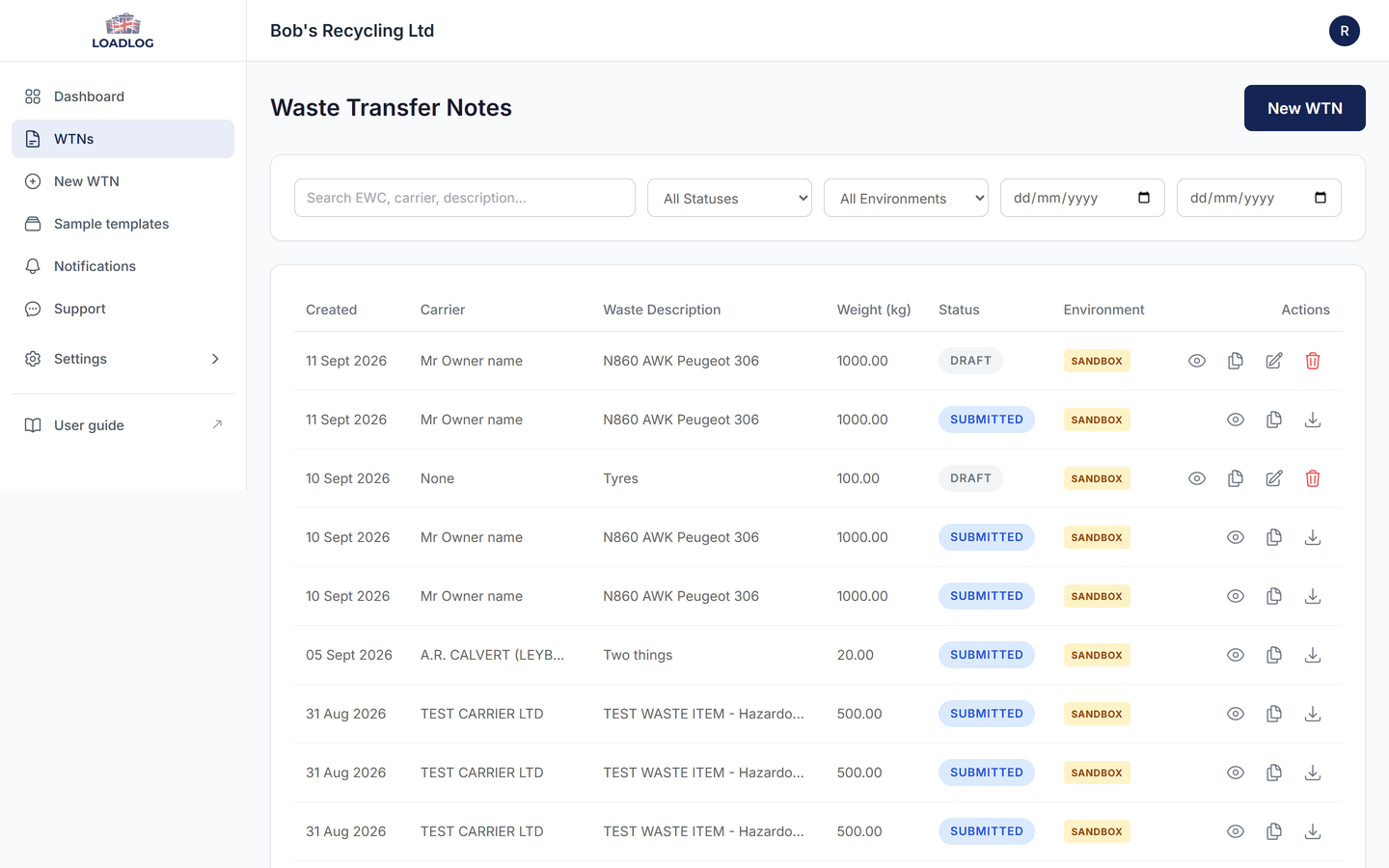
It starts from a template. Pick your scrap car template, or copy one of the ready-made ones, and the EWC code, description and carrier details come with it. Most sites keep two: one for undepolluted vehicles and one for depolluted shells, and switch between them as the day's loads change. Add a row per vehicle, ten at a time if you like. The arrival date and time are set once for the batch and stay editable on any row. Each row takes the weight, the description for that vehicle, and the registration of the vehicle that delivered it. You will find bulk entry on the Waste Transfer Notes page, next to Import.
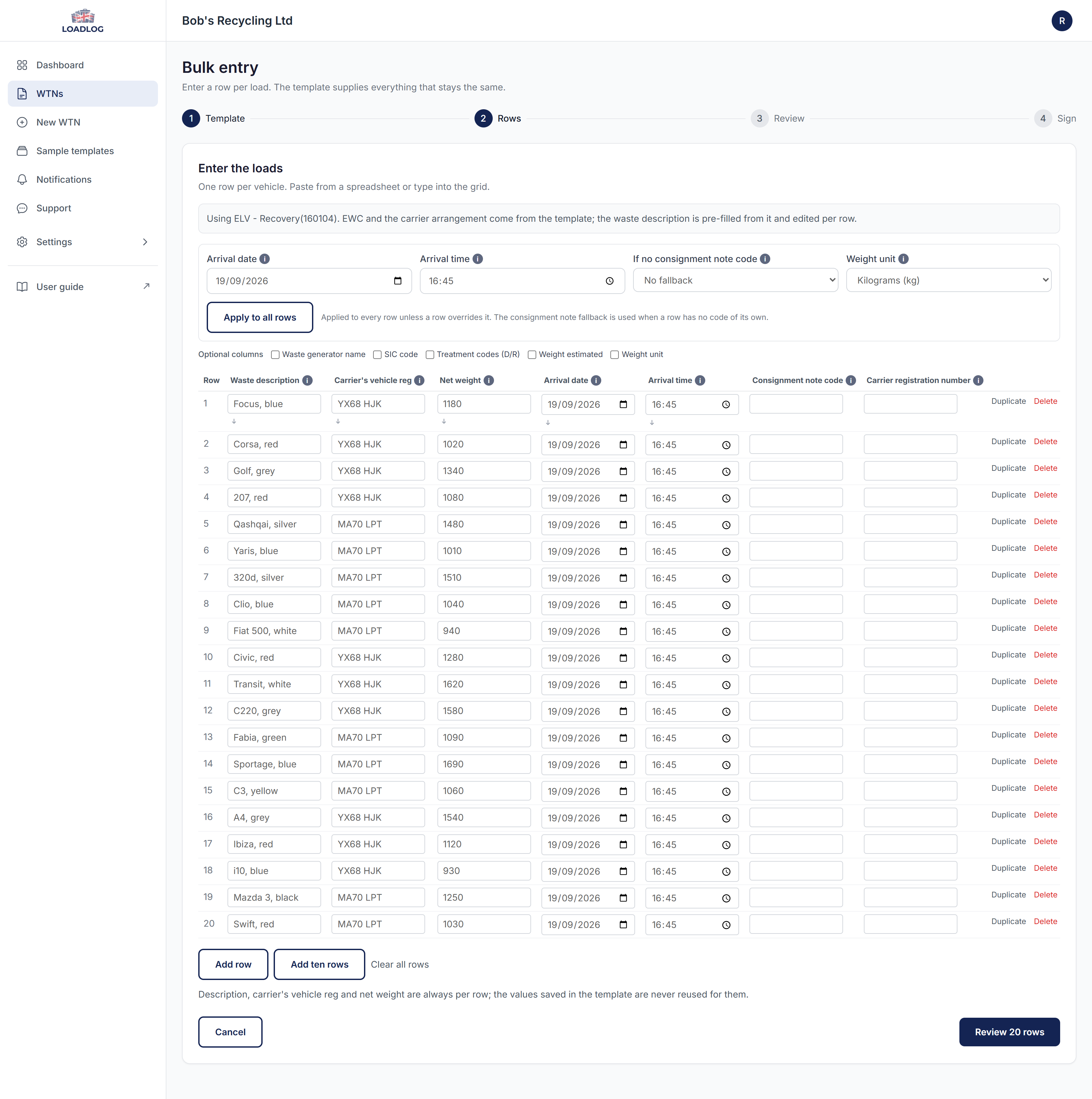
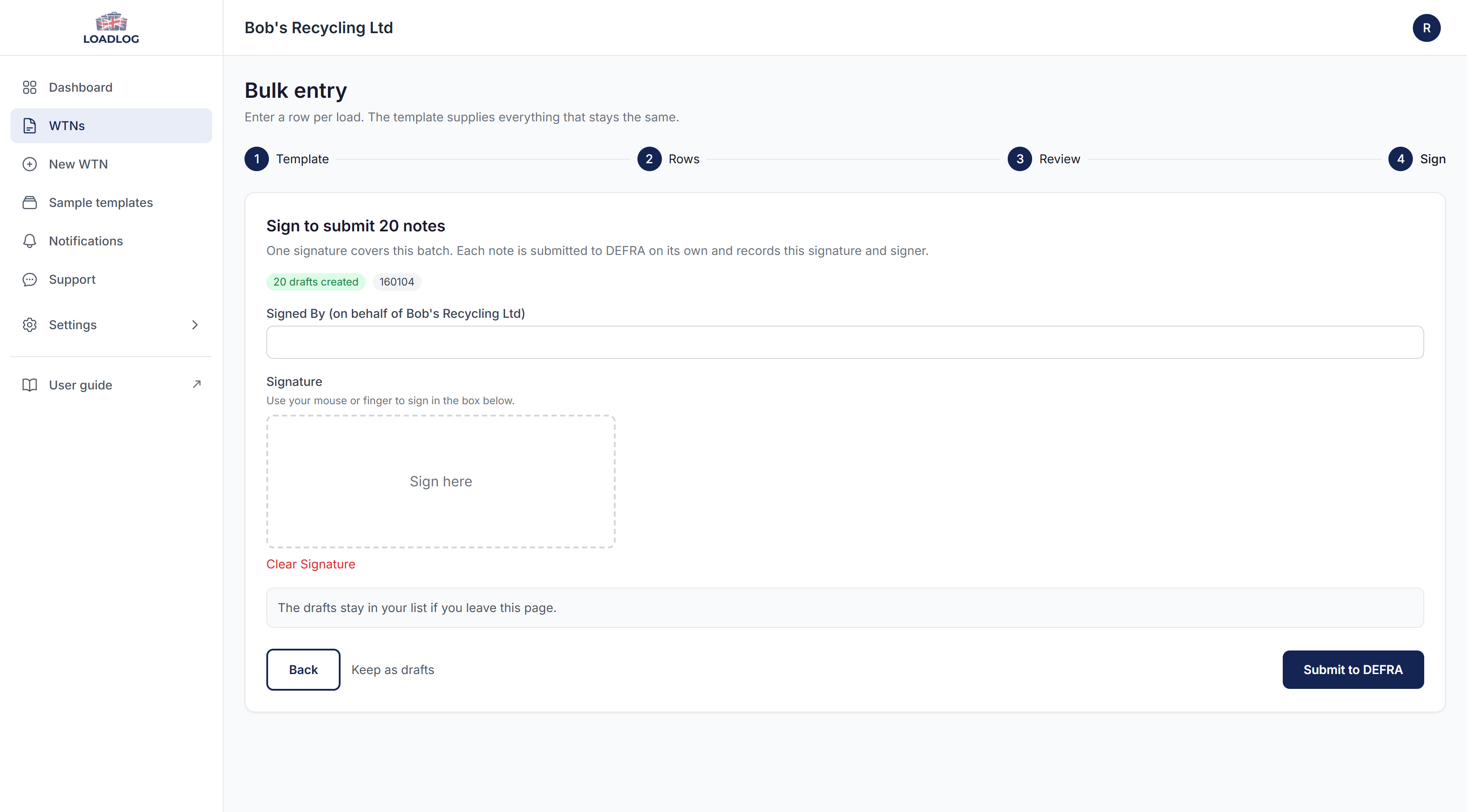
At the review step every row is checked before anything is created. The rows become draft notes, nothing has gone to DEFRA yet. Sign once and LoadLog submits the batch, keeping a PDF for every note.
If a row has a problem, it stays in the grid with the reason shown. The rest of the batch still goes, and you can fix the row and run it in a second pass.
Bulk entry sits with CSV import on the paid plans. If the records already exist in a spreadsheet or a yard system, import them as a CSV or paste the rows in. LoadLog matches the columns, shows a preview before anything is created, and the mapping is remembered, so repeat imports take minutes.
If you already have your own system
Many yards already keep vehicle records somewhere: a spreadsheet, a stock system, or something built in-house years ago. You do not have to replace it. Keep it running as it is, and let LoadLog be the layer that turns those records into DEFRA submissions.
When the data already exists, export it and import the CSV. LoadLog matches the columns for you, shows a preview before anything is created, and remembers the mapping, so next month's import takes minutes. If the records are still on paper or in the yard's own format, paste them into the bulk entry grid instead, or type the day's vehicles straight in. Either way, the records you already keep carry on as they are, and the submission side is ours.
If the records are not digital at all yet, paper and DEFRA's own spreadsheet are still honest options at low volume; we compare that route, costs included, in the DEFRA spreadsheet guide.
Around 50 vehicles a month
Take a typical small breaker: fifty vehicles a month, mostly one at a time, with the odd transporter load. In LoadLog that is roughly fifty records a month, and fewer when several vehicles arrive together, because one delivery can go on one note with an item for each car.
Compliance Lite is £12 a month and covers this several times over: it includes 1,000 rows a month of import and bulk entry. DEFRA charges its own annual service fee of £26 per organisation. Fifty vehicles a month, all in, comes to about £170 a year.
The deadline
You have had to report digitally since 1 October 2026 in England and Wales. A fixed penalty of £1,000 applies per breach, and variable penalties with no upper limit are also available. Digital reporting applies to every site licensed or permitted to receive controlled waste, including authorised treatment facilities.
Record your first end-of-life vehicle in minutes. Start free.
Frequently asked questions
Are ATFs and vehicle breakers in scope for digital waste tracking?
Yes. If your site is licensed or permitted to receive controlled waste, you are in scope. This includes authorised treatment facilities. In England and Wales you have had to report since 1 October 2026, and in Scotland and Northern Ireland it starts in January 2027.
Does LoadLog issue Certificates of Destruction?
No. The Certificate of Destruction goes through DVLA. LoadLog handles the waste receipt that goes to DEFRA. The two records run alongside each other.
What EWC code do I use for an end-of-life vehicle?
16 01 04* for an undepolluted vehicle, which is hazardous waste. 16 01 06 for a depolluted vehicle, which is non-hazardous.
What happens if I do not report digitally?
You can face a fixed penalty of £1,000 per breach, and variable penalties with no upper limit.
Can I log a whole day's vehicles in one go?
Yes. Bulk entry is built for it. Choose a template (the sample library has ready-made ones for undepolluted vehicles and depolluted shells), add a row for each vehicle with its weight and description, set the arrival date and time once for the batch, then sign once and the notes go to DEFRA together.
How many vehicles can I log in one batch?
Up to 250 notes in a single batch. A site logging twenty vehicles a day is nowhere near that.
Can I import a batch of vehicles instead of entering them one by one?
Yes, on paid plans. Use bulk entry to type or paste the day's vehicles into a grid, or import a CSV of existing records. Either way you see a review before anything is created, and the records arrive as drafts ready to submit to DEFRA in one batch.
Several vehicles arrived together on one transporter. Do I need a separate note for each one?
No. A waste note can carry several waste items, so a transporter delivery (or an auction collection) can be recorded as a single note with one item per vehicle: each item keeps its own EWC code, weight and description, and you sign and submit once. If you would rather keep one note per vehicle, bulk entry or CSV import creates them as a batch instead. Both routes reach DEFRA the same way.
Which template should I use for an end-of-life vehicle?
The sample template library has two ready-made for vehicles: End-of-life vehicle - undepolluted (16 01 04*, hazardous) and ELV - depolluted shell (16 01 06). Copy the one you need into your organisation once, then reuse it for every vehicle of that kind. Sample templates can be browsed on any plan and copied on paid plans.
Bulk entry and CSV import come with Compliance Lite at £12 a month, with a free plan for lower volumes.